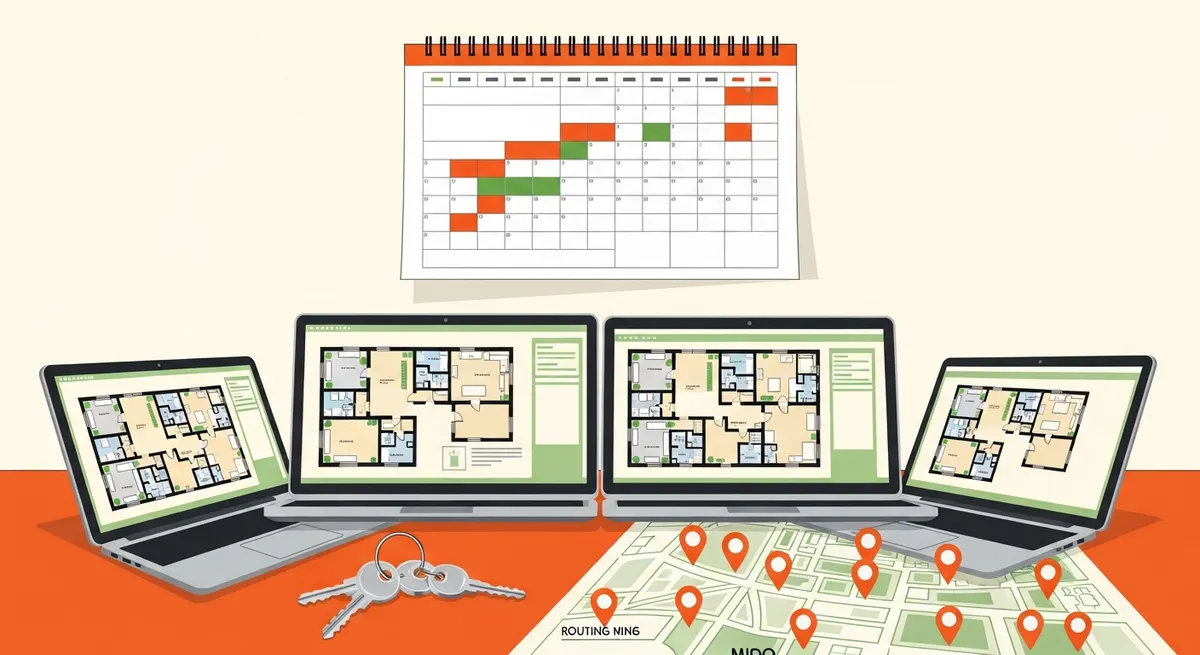
Peerspace income is a function of three things: your hourly rate, the hours you actually book each month, and the share that the platform and your own costs take. The biggest lever is usually the mix of use cases you design the space for, not the headline rate. This guide explains how hourly space rental works as a business, what drives earnings per space, how to price, what operations protect your income and your space, and which permit and insurance steps to complete before you launch.
Every dollar and hour figure below is an illustrative example, not a platform average or a promise. Fee percentages, payout timing, cancellation terms, and any host protection or insurance coverage change over time, so verify the current host terms and fee structure on Peerspace before relying on anything described here. Permits, zoning, event, noise, occupancy, and fire-safety rules, lease terms, and insurance requirements vary by city and property and must be checked locally. If you want to see the other side of the transaction, how to book a Peerspace studio and the Peerspace rental cost guide show what renters see and pay.
How Peerspace Hosting Works as a Business
Peerspace is a marketplace for booking spaces by the hour. That changes the economics compared with nightly rental.
Hourly bookings with minimum hours. Minimum hours are the fewest hours a host will accept per booking, commonly two or more. A booking is a block of hours, not a night, so your calendar fills in slices.
Request and instant-book styles. With request-style booking, the host reviews and approves each inquiry. Instant book lets a renter reserve without waiting for approval. Instant book can lift conversion but gives you less screening, so many hosts start with requests and move to instant book once their rules and systems are tight. Confirm which options are currently available.
Fees, cancellations, and payouts, in general terms. The platform takes a host fee from bookings, cancellations follow policies that differ by listing, and payouts follow a schedule after the booking. Verify the current fee structure, cancellation terms, and payout timing in the host tools.
How it differs from nightly rental. Nightly rental is about occupancy of a bed or home overnight. Hourly rental is about use cases (a shoot, a workshop, a party), and your real constraints are turnover time between bookings, neighbors, noise, insurance, and wear on the space. A day can hold several bookings, or none.
What Drives Earnings Per Space
Space attributes that renters pay for:
- Space type and size, which set group size and use cases.
- Natural light, the single most valued feature for photo and video work.
- Location and parking, because renters bring gear and guests.
- Ceiling height and clear floor space, important for shoots, productions, and events.
- Equipment such as backdrops, lighting, tables, kitchen items, or AV.
- Flexibility of use, since a space that fits several use cases fills more hours.
- Photos, which decide whether the listing gets clicked.
Demand categories and how they behave:
| Space Type / Use Case | Typical Booking Length | Typical Group Size | Wear on Space | Cleaning Burden | Pricing Approach | Best-Fit Host |
|---|---|---|---|---|---|---|
| Photo/video studio | Short to half day | Small crew | Low to moderate (equipment, backdrops) | Low to moderate | Higher hourly base, add-ons for gear | Host with a bright, flexible space |
| Small events (loft, home, venue) | Several hours | Medium to large | Moderate to high | High | Tiered by group size, cleaning fee | Host comfortable with guests and rules |
| Meetings and workshops | Few hours | Small to medium | Low | Low | Moderate hourly, longer-block discounts | Host with a quiet, functional room |
| Pop-ups and content creation | Half day or longer | Small | Moderate | Moderate | Tiered by day-part | Host with retail-friendly or visual space |
| Productions | Full day or multi-day | Crew | Moderate to high | Moderate to high | Day rates, strict rules, deposits | Host with experience and strong insurance |
Production and event use earn the most per booking but carry the most wear, noise exposure, and insurance risk. Meetings and studios tend to be lighter on the space. See Peerspace photography studio rental and Peerspace event space rental for how renters evaluate each.
Pricing Your Space
Hourly base rate. Start from comparable local listings, not a guess. Compare space type, size, location, and amenities, and price within the observed range.
Minimum hours. A minimum protects you from unprofitable two-hour bookings that consume turnover effort. Longer minimums for events and productions are common.
Tiered pricing by use case. A shoot, a meeting, and a party carry different wear and risk, so price them differently where the platform allows.
Weekday versus weekend, daytime versus evening. Demand is lumpy. Premium for peak slots and discounts for slow ones can raise booked hours.
Cleaning, add-ons, and extra guest fees. An add-on is a priced extra, such as equipment, extra hours, or additional guests. Cleaning fees matter most for events. Price add-ons to cover real cost.
Test and adjust. If you see views but no bookings, test a lower rate or shorter minimum. If you're booked solid, test higher. Review monthly. The Peerspace hourly rental pricing guide goes deeper on testing and tiers.
Realistic Occupancy: Booked Hours per Month
The working metric is booked hours per month: the paid hours actually reserved across the month. It matters more than the listed rate because income is rate times hours.
Illustrative: a space at $90 an hour booked 30 hours a month grosses $2,700. The same space at $120 an hour booked 12 hours grosses $1,440. The cheaper space earns more.
Booked hours depend on use-case fit, photo quality, response speed, calendar openness, location, and season. Track hours monthly so you can see what changes move them.
The Cost Side and Net Income Logic
Costs to count:
- Platform host fee (verify the current structure).
- Cleaning per turnover.
- Utilities used during bookings.
- Insurance, such as event or general liability coverage.
- Wear and repair on floors, walls, and furniture.
- Equipment and supplies.
- Rent or mortgage share for the space.
Net income = gross bookings minus platform share minus variable costs minus allocated fixed costs. Allocate rent or mortgage based on the share of the property the listing uses, so you can see true profit.
Worked Examples
All numbers are illustrative.
Mid-Size Photo Studio
- Hourly rate: $85. Booked hours: 40 per month.
- Gross: 40 x 85 = $3,400.
- Platform share (illustrative 20%): $680.
- Costs: cleaning $200, utilities $120, supplies and wear $150, insurance share $90, rent share $1,300 = $1,860.
- Net: 3,400 - 680 - 1,860 = $860.
- What changes the result most: booked hours and rent share. Ten more hours adds roughly $680 after the platform share and before additional operating costs, so listing quality and calendar openness matter more than a small rate change.
Loft Used Mainly for Small Events
- Hourly rate: $140. Booked hours: 24 per month.
- Gross: 24 x 140 = $3,360.
- Platform share (illustrative 20%): $672.
- Costs: cleaning $360, utilities $100, wear and repairs $250, insurance $150, rent share $1,200 = $2,060.
- Net: 3,360 - 672 - 2,060 = $628.
- What changes the result most: wear, cleaning, and insurance. Events pay well per hour but cost more to run. A cleaning fee and group-size tiers protect the margin.
Meeting or Workshop Space
- Hourly rate: $55. Booked hours: 50 per month.
- Gross: 50 x 55 = $2,750.
- Platform share (illustrative 20%): $550.
- Costs: cleaning $120, utilities $110, supplies $60, insurance $60, rent share $900 = $1,250.
- Net: 2,750 - 550 - 1,250 = $950.
- What changes the result most: weekday daytime utilization. Low wear and low cleaning make it steady, so booked hours drive profit.
Do not treat these as expectations. Your market, rent, and fees will produce different results.
Operations That Protect Income and the Space
House rules. Write clear rules on capacity, noise, smoking, alcohol, vendors, and cleanup, and show them in the listing. No written rules is a common mistake.
Access and self-entry. Smart locks and access control let you run bookings without being present, and a codes-per-booking approach reduces risk. See the Airbnb host automation stack for access and messaging automation concepts that transfer.
Setup and strike time. Strike time is breakdown after a booking. Build reset buffers before and after bookings so shoots don't collide. Back-to-back bookings with no reset time cause late starts, damage, and bad reviews. See Peerspace production space setup.
Cleaning workflow. A standard checklist, a reliable cleaner, and a backup.
Damage documentation. Photograph the space before and after each booking, timestamped. Verify any host protection coverage in current terms rather than assuming.
Neighbor and noise management. Set quiet hours and cap guest counts. A noise monitor can help for event use.
Calendar discipline. If you also rent the space elsewhere, keep calendars in sync. See Peerspace booking calendar sync.
Response-time standard. Fast replies convert and rank better. Set a target and keep it.
Listing Quality
Strong photos in good light, a specific description, a complete amenity list, clear rules, and a plan to earn reviews build booked hours. Show the space as it looks in use, with room to move. Ask for reviews after good bookings. The Peerspace listing optimization guide covers photography and description in detail.
Risk, Insurance, and Permits
These are steps to verify and complete.
- Check your lease. If you don't own the property, get the landlord's written permission for commercial hourly use. See the arbitrage considerations in Airbnb arbitrage rental strategy.
- Call your insurer. Ask what a hosted event or commercial shoot does to your coverage, and whether you need event or general liability insurance. See STR insurance requirements by state for how insurance requirements vary by location.
- Check local rules. Event, noise, occupancy, business license, and fire-safety limits on guest counts vary by city. The short-term rental compliance checklist shows how to organize this.
- Set a guest cap that fits fire-safety and permit limits.
- Document what you confirmed and revisit it periodically.
- Consider entity structure with an accountant or attorney. See the asset-sharing business LLC setup.
Scaling and Combining Income Lines
More spaces. Run one well before adding a second. Systems (rules, cleaning, calendar) must scale first.
Combine lines. A property may support Peerspace by the hour, Airbnb by the night, storage, or Turo parking, as long as calendars and rules don't conflict. Weigh each line's net income and risk, and see sharing economy portfolio diversification.
Taxes. Track income and expenses by space. The host business tax deductions guide covers categories and records.
First 30 Days: Launch Checklist
- Confirm lease permission in writing if you rent the space.
- Call your insurer and confirm coverage for the planned use.
- Check local rules for events, noise, occupancy, and licensing.
- Prepare the space: declutter, repair, set up clear zones, add safe equipment.
- Shoot photos in natural light, showing each use case.
- Write the listing with specifics, amenities, and rules.
- Set rules and pricing: hourly base, minimum hours, add-ons, cleaning fee, guest cap.
- Set up access and cleaning: lock or keys, cleaner, checklist, buffers.
- Soft launch with limited availability.
- Review the first bookings: booked hours, feedback, damage notes, and adjust.
Common Mistakes
- Underpricing hourly rates. A low rate fills the calendar and wastes your time.
- Back-to-back bookings with no reset. Leave buffers.
- Ignoring local event rules. Verify before hosting.
- No written house rules. Disputes follow.
- Weak photos. The listing never gets clicked.
- Not tracking booked hours. You can't improve what you don't measure.
Frequently Asked Questions
Can a leaseholder list a space without the landlord's consent?
Don't. Most leases restrict commercial use and subleasing, and operating without written permission can end your tenancy. Get consent in writing and confirm it covers hourly commercial rentals.
How do I handle a shoot that runs over its booked time?
State overtime terms in your rules and listing, check the next booking before agreeing to extend, and use the platform's process for charging extra time. Build buffers so overruns don't collide with the next booking.
Does it make sense to limit bookings to certain use cases?
Yes. If a use case wears the space or draws complaints, exclude it in the listing and rules, or price it higher. A narrower, well-fit listing can fill more hours than a broad one.
How much can I earn?
It depends on space type, market, booked hours, and costs. The examples are illustrative, so model your own numbers.
Do I need insurance?
Usually worth having, particularly for events and productions. Ask your insurer, and verify any platform protection in current terms.
Is instant book a good idea?
It can raise conversion but reduces screening. Start with requests until your rules and systems are solid.
What if neighbors complain?
Set quiet hours, cap guest counts, and respond quickly. Repeated complaints can threaten your ability to host.
Can I run Peerspace and Airbnb in the same space?
Sometimes. Keep calendars synced, check lease and local rules for both, and confirm insurance covers both uses.
How do I handle damage?
Document before and after, report through the platform, and verify current host protection terms.
Who This Path Is Not a Fit For
It's not a fit if you want no guest presence or no flexibility in how the space is used, since hourly rental means different people using the space in different ways. It's also a poor fit for a residential property in a neighborhood with strict noise and event limits, where one complaint can end the listing. If that describes you, consider storage or a nightly model instead.
The Takeaway
The Peerspace host earnings guide comes down to booked hours, not the listed rate: design the space for the use cases that fill the most hours, price for margin, protect the space with rules and reset buffers, and verify lease, insurance, permit, and platform terms before launch. Your next step is to confirm lease permission and call your insurer this week, then work through the 30-day checklist.