[B1] Storing your belongings in someone's private garage or driveway feels different from locking them in a traditional storage facility -- and that hesitation is reasonable. But it's addressable, not with vague reassurance, but with specific, checkable signals that tell you whether a listing is genuinely well-run. This guide covers exactly what to check: the host's profile, the security features that actually matter, how to evaluate the space, what platform protection covers, and the red flags worth walking away from.
|||
[B2] The reassuring truth underneath all of it: a well-run peer-to-peer storage listing leaves visible evidence of being well-run, and a poorly-run one leaves visible evidence too. Once you know what to look for, the decision gets much easier. If you're still new to the model itself, how Neighbor storage works covers the basics; this guide is specifically about vetting safety.
|||
[B3] ## What to Check on the Host's Profile and Listing
|||
[B4] The host's track record is your single best safety signal, and it's entirely visible before you book.
|||
[B5] Review history. Many positive reviews accumulated over time is the strongest signal a host is reliable. Read the actual reviews, not just the score -- look specifically for mentions of security, access reliability, and how the host handled any issue. A host with a long history of satisfied renters has demonstrated exactly what you're trying to verify. Neighbor renter reviews covers reading review patterns in depth.
|||
[B6] Response rate. Response rate is how consistently and quickly a host replies to inquiries. A high response rate signals a host who's engaged and will actually be reachable if you need something while your items are stored. A host slow to respond before you've paid is unlikely to be faster afterward.
|||
[B7] How long they've been hosting. An established host has more track record to evaluate and more demonstrated commitment to the business. A brand-new host isn't necessarily unsafe, but you have less evidence to go on, so weight the other signals more heavily.
|||
[B8] Specificity of the listing description. This is the operator-level tell most renters miss: a genuinely well-run listing describes the space precisely -- exact access instructions, security features, dimensions, what's allowed. Vagueness usually reflects a host who hasn't thought their operation through, which tends to correlate with friction later. Specificity is a proxy for diligence.
|||
[B9] ## Security Features That Actually Matter
|||
[B10] Which features matter depends entirely on what you're storing, so match the security to the item, not to a generic checklist.
|||
[B11] Enclosed vs. exposed space. An enclosed space (a garage, a locked room, a shed) offers protection from weather and casual access that an exposed space (an open driveway, an uncovered lot) doesn't. For anything weather-sensitive or valuable, enclosed matters a lot. For a vehicle or trailer meant to sit outside anyway, exposed may be fine.
|||
[B12] Lock type and access control. How is the space secured? A quality lock, a keypad, or a gated entry is meaningfully more secure than a flimsy latch. Ask specifically what secures the space if the listing doesn't say.
|||
[B13] Lighting. A well-lit access area deters problems and signals a maintained property. Poorly-lit spaces are both a security and a safety concern.
|||
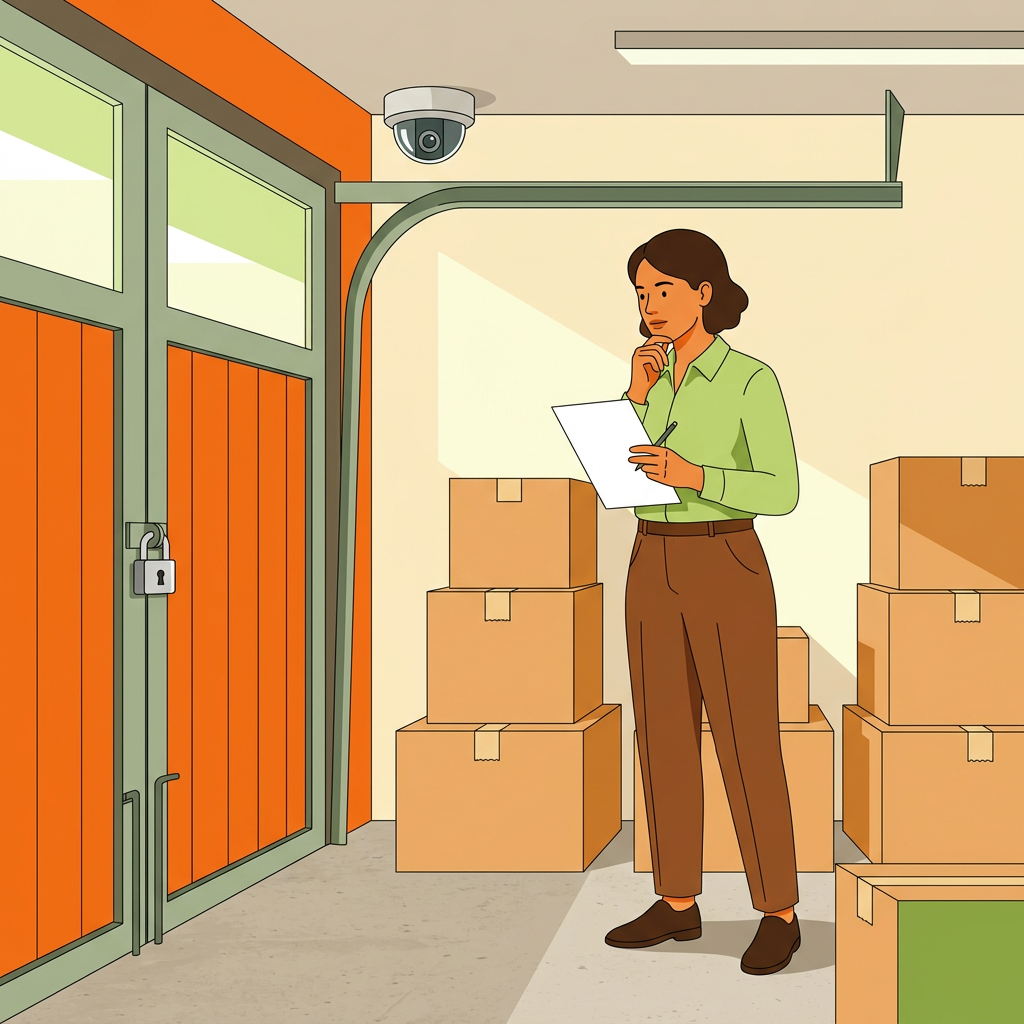
[B14] Security cameras. A camera covering the access point (disclosed in the listing -- disclosure is both a legal norm and a trust signal) adds a real layer of deterrence and evidence. A host who has invested in disclosed access-point cameras is usually running the listing seriously. Note that a well-run host monitors access, not the interior of your stored items.
|||
[B15] The pattern: security features should match your item's actual risk. Don't over-index on cameras for a box of seasonal clothes, and don't accept an exposed driveway with a weak latch for valuable equipment.
|||
[B16] ## Evaluating the Physical Space
|||
[B17] If a walkthrough is offered before or at move-in, use it. Seeing the space in person tells you things photos can't.
|||
[B18] Confirm it matches the listing. Do the photos and description reflect reality? A space that looks meaningfully worse in person than in its photos is a warning about the host's honesty generally.
|||
[B19] Check the actual condition. Is it clean, dry, and maintained? Signs of moisture, pests, or neglect are disqualifying for most stored items, and they signal how the host treats the space overall.
|||
[B20] Assess the access route. Can you actually get your items in and out easily? A space that's technically the right size but impossible to access with a loaded dolly is a practical problem worth catching before you commit.
|||
[B21] Look at the surroundings. Is the broader property secure and maintained? The neighborhood and the property's general condition tell you about the environment your belongings will sit in.
|||
[B22] If no walkthrough is possible, lean harder on photos, reviews, and direct questions to the host. A host reluctant to let you see the space or answer detailed questions is itself a signal.
|||
[B23] ## What Platform Protection Covers
|||
[B24] Neighbor includes a host guarantee -- a platform-level protection program covering certain damage and loss scenarios, subject to specific terms and limits. It's a genuine safety layer, but understand it precisely rather than assuming it covers everything.
|||
[B25] Two things to know:
|||
[B26] It has terms and limits. The host guarantee covers specific scenarios up to a coverage cap, with documentation and reporting requirements for a successful claim. It's not unlimited coverage for anything that could happen. Confirm the current coverage details against Neighbor's terms directly, since these change over time.
|||
[B27] It may not fully cover high-value belongings. If you're storing something valuable, the coverage limit may fall short of the item's actual worth. For high-value items, this gap is exactly why you should consider your own insurance -- covered in the higher-value scenario below.
|||
[B28] Read what the protection actually covers before relying on it, and size your expectations to the terms rather than to the reassurance of "there's a guarantee."
|||
[B29] ## Documenting Your Belongings Before Storing
|||
[B30] This is the single most valuable habit for protecting yourself, and it takes minutes.
|||
[B31] Photograph everything. Before your items go into storage, photograph them -- their condition, any existing wear, and valuable items specifically. Timestamped photos establish the state of your belongings at move-in, which is exactly what resolves a later dispute about damage.
|||
[B32] Make an inventory list. A written list of what you're storing, especially anything valuable, gives you a record for both your own tracking and any claim. Memory is a weak foundation for a dispute; a list is a strong one.
|||
[B33] Photograph the space's condition too. Documenting the space as you found it protects you and creates a shared record with the host.
|||
[B34] Keep it accessible. Store this documentation somewhere you can find it months later. Disputes sometimes surface long after move-in, and documentation you can't locate helps no one.113: ||| 114: [B35] None of this assumes anything will go wrong -- it's cheap insurance that costs you a few minutes and can save you an unwinnable argument later.115: ||| 116: [B36] ## Red Flags That Should Make You Reconsider117: ||| 118: [B37] Some signals should give you real pause regardless of how good the rest of the listing looks.119: ||| 120: [B38] Vague location details withheld until after payment. A host who won't tell you roughly where the space is until you've paid is reversing the normal order of trust. Some address precision is reasonably held back for privacy, but a general area and honest access description should come before payment, not after.121: ||| 122: [B39] Reluctance to answer security questions. If you ask what secures the space, whether there's lighting, or whether cameras cover the access point, and the host is evasive or dismissive, that reluctance is itself the answer. A well-run host answers these readily because they've thought about them.123: ||| 124: [B40] Unusually low pricing relative to comparables. A price far below comparable listings nearby is worth questioning, not celebrating. It can signal a space with problems the host is compensating for, or a host who isn't running things seriously. Compare against other listings when renting storage space near me turns up options -- a price that's an outlier on the low side deserves scrutiny.125: ||| 126: [B41] Photos that don't match, or too few photos. A listing that won't show you the actual space clearly is hiding something or run carelessly. Either way, be cautious.127: ||| 128: [B42] Pressure to move quickly or communicate off-platform. A host pushing you to book fast or to take the conversation off Neighbor is removing the protections and record the platform provides. Keep communication in-app.129: ||| 130: [B43] Any single red flag warrants a direct question. Several together warrant walking away -- there are other listings.131: ||| 132: [B44] ## Worked Scenario One: Storing Lower-Value Household Items133: ||| 134: [B45] A few boxes of seasonal items, some furniture, nothing individually valuable.135: ||| 136: [B46] The appropriate safety bar: basic checks suffice. A host with solid reviews, a reasonable response rate, an enclosed and dry space, and a decent lock covers it. You want protection from weather and casual access, and confirmation the host is reliable.137: ||| 138: [B47] What to do: read the reviews, confirm the space is enclosed and dry, check the lock and access, photograph your items at move-in, and keep a simple inventory. That's proportionate to the risk.139: ||| 140: [B48] What you don't need to over-worry about: extensive security infrastructure. For low-value household goods, a well-reviewed host with a clean enclosed space is genuinely sufficient. Don't let perfect be the enemy of a reasonable, well-priced option.141: ||| 142: [B49] ## Worked Scenario Two: Storing a Vehicle or Valuable Equipment143: ||| 144: [B50] A vehicle, or valuable tools and equipment -- items where loss would genuinely hurt.145: ||| 146: [B51] The appropriate safety bar is meaningfully higher. Now security infrastructure matters. For a vehicle, whether the space is enclosed or exposed is a real decision (the Neighbor vehicle storage renter guide covers vehicle-specific considerations). For valuable equipment, you want enclosure, quality locks, disclosed access-point cameras, and good lighting.147: ||| 148: [B52] What to do beyond the basics: - Prioritize hosts with strong track records specifically storing similar high-value items, if their reviews show it. - Scrutinize security features hard -- ask direct questions and expect clear answers. - Confirm the host guarantee's coverage limit against your item's actual value, and if there's a gap, arrange your own insurance to cover it. For high-value belongings, do not assume platform protection is sufficient. - Document even more thoroughly -- detailed photos, serial numbers where relevant, a precise inventory. - Strongly prefer an in-person walkthrough before committing.149: ||| 150: [B53] The principle: match your diligence to what's at stake. The same listing that's perfectly fine for boxes of clothes may not clear the bar for a valuable vehicle, and that's a judgment only you can make based on what you're storing.151: ||| 152: [B54] ## The Pre-Booking Safety Checklist153: ||| 154: [B55] Run through this before confirming any reservation:155: ||| 156: [B56] 1. Read the host's reviews, looking specifically for security and reliability mentions. 2. Check the host's response rate and how long they've been hosting. 3. Confirm the listing description is specific about access and security. 4. Match the space type (enclosed vs. exposed) to what you're storing. 5. Confirm the lock/access-control type and that it suits your item's value. 6. Check for lighting and disclosed access-point cameras if relevant to your items. 7. Message the host with direct security questions and gauge the response. 8. Confirm the host guarantee's coverage terms and limit against your items' value. 9. Arrange your own insurance if storing high-value items beyond the coverage limit. 10. Plan to photograph and inventory your belongings at move-in. 11. Watch for red flags: withheld location, evasive answers, outlier-low pricing, off-platform pressure. 12. Keep all communication and payment within the platform.157: ||| 158: [B57] ## Frequently Asked Questions159: ||| 160: [B58] Is peer-to-peer storage actually safe? It can be as safe as a traditional facility, and sometimes safer -- a locked private garage isn't inherently less secure than a facility unit. Safety depends on the specific listing: the host's track record, the space's security features, and how well you match both to what you're storing. Vet those specifics rather than judging the whole model.161: ||| 162: [B59] Is it reasonable to ask a host for additional security measures before booking? Yes, entirely reasonable. Asking whether a host would add a better lock, confirm lighting, or clarify camera coverage is a fair pre-booking conversation, and a good host engages with it constructively. Their willingness to accommodate a reasonable security request is itself informative -- a flat refusal to discuss security is a signal in its own right.163: ||| 164: [B60] What do I do if a safety concern arises after my items are already stored? Contact the host through the platform first -- many concerns are resolved directly. If it's serious or the host is unresponsive, involve Neighbor's support and keep everything documented in-app. If you documented your items at move-in, you're in a far stronger position. For an active, serious concern about your belongings' security, act promptly rather than waiting.165: ||| 166: [B61] How much should I rely on the host guarantee? Treat it as one layer, not complete coverage. It covers certain scenarios up to a limit, with specific terms -- confirm the current details against Neighbor's terms. For low-value items it's often sufficient; for high-value belongings, check whether the limit matches your items' worth and add your own insurance if it doesn't.167: ||| 168: [B62] Does a low price mean a listing is unsafe? Not necessarily, but an unusually low price relative to comparable listings deserves a closer look rather than an instant booking. It can reflect a genuine deal, or a space with problems the host is pricing around. Compare against other local listings and, if it's an outlier on the low side, ask the host why before assuming it's simply a bargain.169: ||| 170: [B63] Should I insist on seeing the space in person? For valuable items, strongly prefer it -- an in-person walkthrough reveals condition, access, and surroundings that photos can't. For low-value household goods, thorough photos plus strong reviews and direct questions can suffice. A host who refuses any way to verify the space, in person or otherwise, is a reason for caution.171: ||| 172: [B64] What's the difference in safety between this and a traditional facility? A facility offers standardized, uniform security; peer-to-peer varies by listing, which cuts both ways -- some private garages are more secure than a facility unit, some exposed driveways less so. The peer-to-peer storage vs U-Haul comparison covers this against a specific facility option. The key difference is that with peer-to-peer, security is something you evaluate per listing rather than assume.173: ||| 174: [B65] ## The Takeaway175: ||| 176: [B66] The best Neighbor storage safety tips come down to reading the signals a listing already gives you: a host's review history and response rate, the specificity of their description, security features matched to what you're storing, and the absence of red flags like withheld locations or evasive answers. Match your diligence to what's at stake -- basic checks for boxes of clothes, a much higher bar for a vehicle or valuable equipment -- document your belongings at move-in, and keep everything on-platform.177: ||| 178: [B67] One last aside: plenty of renters who store belongings this way and see what a genuinely well-run listing looks like from the inside eventually realize they could offer the same thing with their own space. If that thought lands once you understand what makes a listing trustworthy, how to list storage space on Neighbor is where the host side of SharingShell begins.