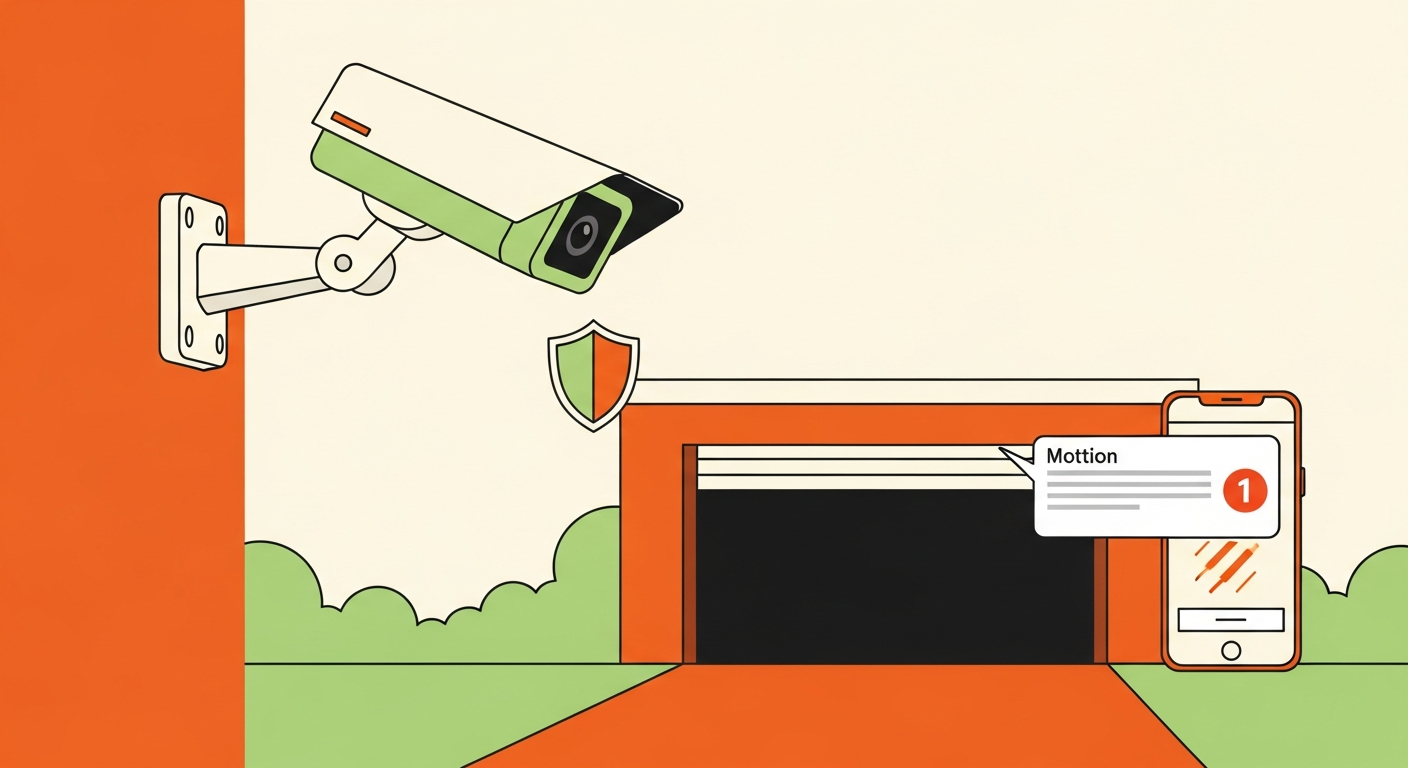
The rule that should drive every decision here: monitor access to the space, not the contents inside it. A camera covering the driveway and the entry point is reasonable security. A camera angled into a renter's locked unit is a privacy and liability problem you created for yourself. This article covers where to place cameras, what specs actually matter, how footage gets used in a real dispute, and how to disclose monitoring properly.
This assumes you have a listing live or are actively setting one up. Note that disclosure requirements and privacy expectations for monitoring rental property vary by local law and platform policy, so confirm what applies to you rather than assuming.
Where Coverage Should Focus
Entry points. The door, gate, or opening a renter passes through. This is the highest-value angle by a wide margin -- it establishes who accessed the space and when, which is the question virtually every dispute turns on.
Driveway and access areas. Vehicles arriving and departing, especially for driveway, RV pad, or vehicle storage where the access route is the space. A plate-readable angle at the approach is worth more than a wider shot that captures more but resolves nothing.
The approach, not the interior. Coverage that shows someone reaching the space is what you need. Coverage that shows what they left inside it is what you don't.
What to avoid: any angle capturing the interior contents of a locked unit. A renter's stored belongings are their private property, and a camera looking at them creates privacy exposure and undermines the trust that makes storage hosting work. It also gives you nothing useful -- a dispute about theft is resolved by proving who accessed the space, not by an inventory of what was in it.
The line is genuinely simple: access is yours to monitor, contents are not.
What Specs Actually Matter
Motion-triggered recording. Motion-triggered recording means the camera captures when it detects movement rather than running continuously. For a storage space that sees a handful of access events a week, this is exactly right -- it captures the moments that matter without generating footage nobody will ever review.
Remote viewing. Checking the space from your phone matters more the further you live from it, and matters a lot if you're running a distributed portfolio as part of a self storage host diversification strategy.
Weatherproofing. Non-negotiable for outdoor spaces -- driveways, RV pads, detached garages. Confirm the rating against actual conditions where you are, not just the marketing copy.
Night visibility. Access events happen after dark. A camera that produces unusable footage at 11pm covers a fraction of your real risk window.
Reliable connectivity. A camera that drops offline is a camera that wasn't recording during the one incident you needed it for.
Consumer camera lines from the major brands cover this use case well and cheaply -- a weatherproof, motion-triggered outdoor camera with decent night vision is a modest cost against the value of what's typically stored. The specs above are what to compare on; brand matters less than whether the specific model handles your weather and connectivity situation.
How Footage Actually Gets Used in a Dispute
Owning a camera isn't the same as having usable evidence. Three things separate footage that resolves a dispute from footage that doesn't.
It's timestamped. Footage without a verifiable date and time doesn't establish when access occurred, which is the whole question.
It shows access, not contents. A clip of someone entering the space at a specific time is evidence. Contents footage isn't evidence of anything and raises questions about why you have it.
It was retained long enough. The footage retention period is how long recordings are kept before being overwritten. This is where hosts most often fail: a renter discovers a problem days or weeks after the fact, you go to pull the footage, and it's gone. Short retention windows on default settings are common. Extend yours.
Footage supports an insurance claim the same way it supports a dispute -- by establishing the timeline. Neighbor host insurance coverage covers what platform protection requires for a successful claim, and Neighbor host liability protection covers the liability side; footage is the evidence layer feeding both.
Disclosing Monitoring to Renters
Disclose it. Clearly, in the listing, before booking.
Disclosure serves two purposes. It's often required -- requirements vary by jurisdiction and platform policy, so confirm yours -- and it's what turns a camera from something a renter discovers into something they chose. A renter who booked knowing about the camera is a renter who has consented; one who spots it later feels surveilled.
Do it well:
- State it in the listing description rather than burying it.
- Say what it covers and what it doesn't. "Motion-activated camera covering the driveway and entry only -- no coverage of the interior of your unit" resolves the concern in one line.
- Frame it as protection for their belongings, which is honest. Most renters see disclosed access monitoring as a reason to book, not a reason not to.
Visible, disclosed cameras also deter. A camera nobody knows about only helps after something has already happened.
The Setup Checklist
- Position cameras at entry points and access routes.
- Verify no camera angle captures the interior contents of a locked unit.
- Confirm night visibility is usable at the actual access points.
- Confirm weatherproofing suits your climate for any outdoor camera.
- Enable motion-triggered recording.
- Extend footage retention well beyond the default -- long enough for a dispute surfacing weeks later.
- Set up a backup power and connectivity plan.
- Disclose monitoring clearly in the listing, stating coverage and non-coverage.
- Test the setup: walk the access route, confirm the capture, review the footage quality.
- Re-verify angles after any camera is moved, bumped, or replaced.
Common Mistakes
Angles capturing too much. The core error. An interior-facing camera gives you no useful evidence and real privacy exposure. Point it at the door.
No backup power or connectivity plan. Cameras fail during exactly the events they exist to capture -- storms knock out power, internet drops. A camera offline during the incident is worse than useless, because you thought you were covered. Battery backup and a connectivity fallback are cheap by comparison.
Retention too short. Disputes surface late. Default retention windows are frequently too brief to cover a problem discovered two weeks after the fact. Check yours and extend it.
Not disclosing. Undisclosed monitoring damages trust, generates bad reviews, and may violate policy or local law.
Assuming the camera is the whole security plan. It's evidence and deterrence, not a lock. It pairs with physical security, not replaces it.
Never testing. Walk the access route and review the footage. Hosts discover their night footage is unusable or an angle is wrong at the worst possible moment otherwise.
FAQ
Can I put a camera inside my storage unit?
Monitor access, not contents. A camera capturing the interior of a locked unit and a renter's belongings raises privacy and liability concerns, and gives you nothing a door-facing camera doesn't. Local law and platform policy may also restrict it -- confirm before you consider it.
Do I have to tell renters about cameras?
In most cases, yes, and you should regardless. Disclosure requirements vary by jurisdiction and platform, so confirm yours. Practically, disclosed cameras deter problems and build trust; undisclosed ones discovered later produce exactly the reaction you'd expect.
How long should I keep footage?
Longer than the default. Disputes often surface days or weeks after an incident, and the most common failure is going to pull footage that's already been overwritten. Set retention to cover a realistic dispute window for your situation.
What camera specs matter most for a storage space?
Motion-triggered recording, reliable night visibility, weatherproofing for outdoor spaces, and dependable connectivity. Compare models on these rather than on resolution alone -- a high-resolution camera that's offline or blind at night covers nothing.
Will cameras help with an insurance claim?
They can, by establishing a timeline of who accessed the space and when. Timestamped, retained footage of access is what supports a claim. Confirm what your specific coverage requires, since documentation requirements vary and change.
The Takeaway
A good Neighbor host security camera setup monitors access and nothing more: entry points and approach routes, motion-triggered, weatherproof, disclosed clearly in the listing, with retention long enough to cover a dispute that surfaces weeks later. Get the angles right and the boundary right, and the camera protects both your space and the renter trust that keeps it booked -- which is what the Neighbor.com host earnings guide ultimately depends on.